In short: Meta glasses are now a real build target for brands, but the code lives on the phone or on the web, the screen is a small fixed panel in one eye, and public app discovery has not opened yet.
This is the platform explainer: what the toolkit gives a developer, what it leaves out, and how a build actually reaches a wearer. If you need the budget conversation, read what a Meta AI glasses build costs. If you need campaign ideas for the displayless glasses, start with Meta Ray-Ban for brand campaigns.
What changed at Meta Connect 2026
On September 24, 2026, Meta's developer blog announced that the Wearables Device Access Toolkit 1.0 had launched "after a year in developer preview". Meta's FAQ calls it a stable, supported release and says rollout began September 30, 2026. Three things matter.
- It is no longer a preview. Briefs can plan on it, not treat it as an experiment.
- The Ray-Ban Display screen is open. Apps built with the toolkit can now render to the display, and separately, the display runs standalone web apps.
- Discovery is announced but not live. Meta says people will "soon" find experiences on Ray-Ban Display and in the Meta AI app. Submissions have not opened.
Meta's FAQ lists the supported glasses as Ray-Ban Meta (Gen 1 and Gen 2), Meta Ray-Ban Display, Oakley Meta HSTN and Oakley Meta Vanguard, with new versions of those devices added as they ship. Meta also notes that "capability availability varies by device", so the brief should name the exact model.
There are three ways to build for Meta's glasses, and they answer different briefs
Meta's developer FAQ describes three routes. Picking the right one is the first platform decision in any Meta glasses brief.
| Route | Runs on | Best for |
|---|---|---|
| Device Access Toolkit | Your iOS or Android app, talking to the glasses | Brands with an app that want camera, audio or display features on every Meta AI glasses model |
| Web Apps | Meta Ray-Ban Display only, from a URL | Glanceable display experiences with no app store listing |
| Meta AI Connectors | Inside Meta AI itself | Services that want Meta AI to call their API in conversation (developer preview) |
Most brand work will be the first two. Connectors are still in developer preview.
What the Device Access Toolkit actually exposes
Meta's 1.0 documentation describes a session your app opens with the glasses. During a session, the wearer can speak to your app, send it photos or video from the camera, and hear audio from it. Here is what that looks like in practice.
- Camera. A live video stream at up to 720 x 1280 pixels and up to 30 frames per second, plus single photo capture during a stream. The stream travels over Bluetooth to the phone, so Meta's docs warn that quality steps down automatically when bandwidth drops, never below 15 frames per second.
- Microphones and speakers. Audio comes in through the standard Bluetooth hands-free profile, streamed as 8 kHz mono. Your app plays audio back through the open-ear speakers.
- Motion. Motion and IMU data, so an experience can respond to head movement and orientation.
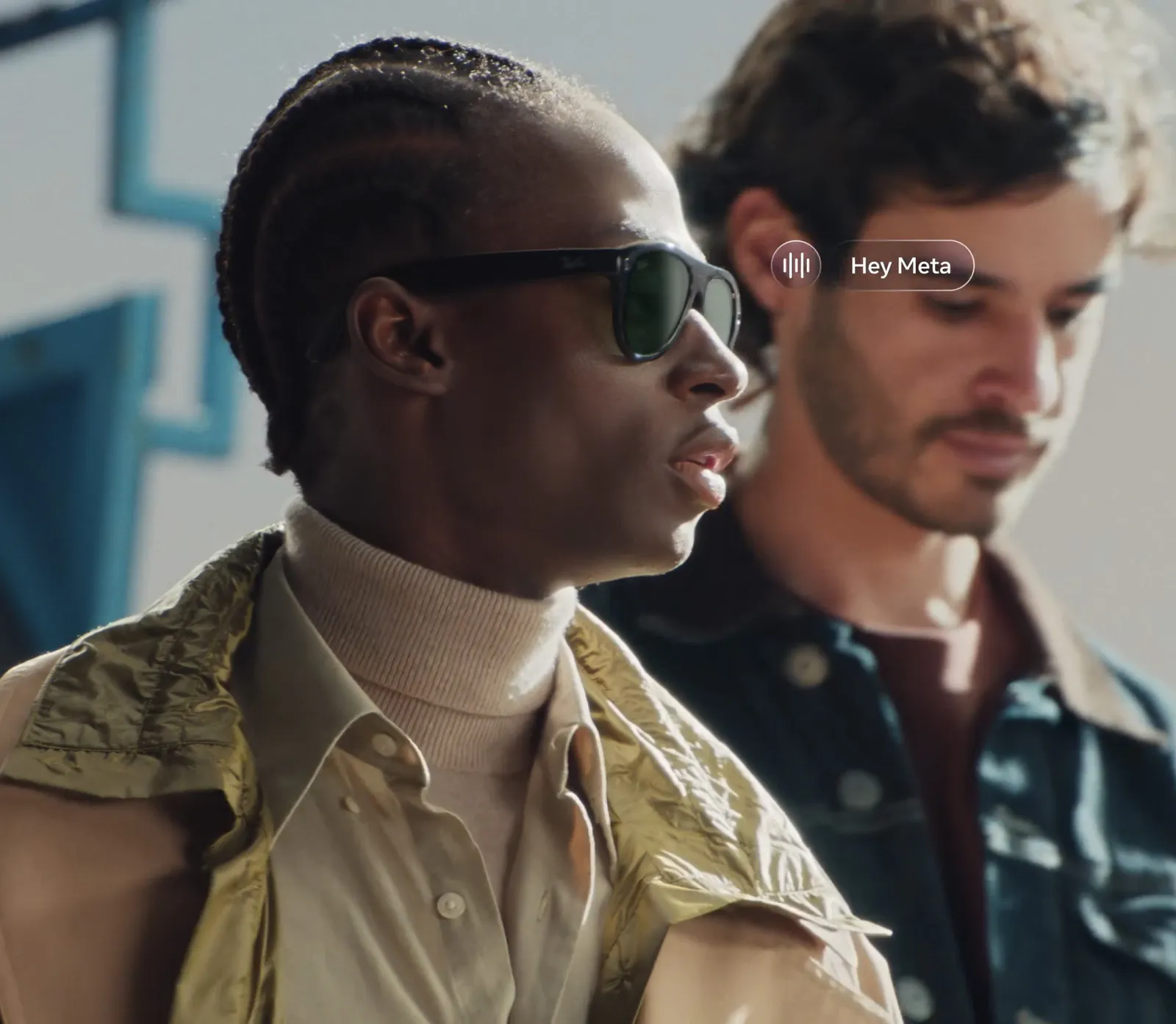
- Voice launch. A wearer can say "Hey Meta, start" followed by your app's name, and Meta AI launches or foregrounds your app. The app name you register is the keyword, so naming becomes a design decision.
- Speech to text. On-glasses speech recognition exists, but Meta's docs mark it as beta and say not to depend on it in a production build.
- Display (Ray-Ban Display only). Your app sends layouts built from text, images, buttons, icons and MP4 video clips to the 600 x 600 display. Input comes from the glasses touchpad and the Meta Neural Band wristband.
For legal teams: camera access needs the wearer's permission, confirmed in the Meta AI app, and Meta's docs state that Meta does not access photos, video or audio transferred directly from the glasses to the third-party app. That data is yours to process, and yours to govern.
Your code runs on the phone, not the glasses
This is the architecture point most briefs miss. With the Device Access Toolkit, the glasses are sensors and outputs. Your app runs on the wearer's phone, receives the camera frames and audio, does the work, and sends audio or display layouts back. Meta's display docs describe the SDK serialising your layouts and transmitting them to the glasses over Bluetooth.
That has four practical consequences.
- You need a phone app. The toolkit extends an existing iOS (17.2 and up) or Android (10 and up) app. Meta pitches it as keeping "your current codebase, infrastructure and store listing" intact. A brand without an app is commissioning one.
- The Meta AI app is always in the loop. Pairing, app registration and camera permissions all route through it.
- Bluetooth is the ceiling. Video quality and display responsiveness are bounded by the link. Meta's own guidance is to keep display layouts simple, because large images introduce lag.
- One session at a time. Only one session runs on a device at a time, and the wearer can pause it by tapping the glasses, taking them off or folding the arms.
The upside: your own AI models, product catalogue or loyalty system can sit behind the glasses experience.
Web apps on Meta Ray-Ban Display are the lightest build
Meta describes Ray-Ban Display web apps as standard HTML, CSS and JavaScript rendered on the glasses' built-in display, with "no native app or SDK required". The documented access list is the fixed 600 x 600 display, input from the Neural Band and the touchpad, motion and orientation sensor data, location from the connected phone, local storage, offline caching and text to speech. Text input works by dictation, handwriting or an on-screen keyboard. Meta also ships a UI Toolkit for Ray-Ban Display and a Ray-Ban Display simulator for testing without hardware.
Meta's docs say web apps do not yet support the camera, the microphone or notifications. A web app is a display and input experience. If the idea needs the glasses to see something, it needs a Device Access Toolkit app.
Web apps fit briefs like an event schedule and wayfinding panel, a live score or stats card at a sports sponsorship, a step-by-step product guide in a store, or a short quiz driven by wrist gestures. Sharing is simple: host it, then give wearers a URL, deeplink or QR code. Today that works for wearers who have switched on developer mode in the Meta AI app, which makes it best suited to brand-supplied glasses at an activation for now.
It is the same logic behind our browser-based WebAR demos: no install between the audience and the experience.
What the toolkit does not do
- No display on most models. Ray-Ban Meta and Oakley Meta have no screen. On those glasses, the experience is camera, voice and audio.
- No room mapping. Ray-Ban Display shows a fixed panel in the right eye. Nothing is anchored to a table or a wall. We cover why in do smart glasses map your room?
- No custom wake word. The launch phrase is Meta's "Hey Meta, start" plus your registered app name.
- No full hardware testing without glasses. Meta's Mock Device Kit simulates the glasses for testing, but it does not yet support display glasses. Display work needs a real pair of Ray-Ban Display glasses, so hardware gets scoped into the project.
- Not every market. The SDK downloads anywhere, but Meta says only developers in AI glasses supported countries get the toolkit's full capabilities.
How a build reaches people: release channels now, discovery later
Distribution is the part of the platform that is still opening. Meta's Wearables Developer Center gives each integration one private, invite-only release channel. You invite testers by the email on their Meta account, and they accept or decline. That covers a pilot, a press preview or a staffed event on glasses the brand controls.
For the general public, Meta has announced two discovery surfaces: select experiences on Ray-Ban Display itself, and a curated list in the Meta AI app. The FAQ says submissions for both Device Access Toolkit apps and web apps open "soon", with timing to follow. Everything must also meet Meta's Wearables Developer Acceptable Use Policy, so plan for a review step once submissions open.
Our planning rule: if the launch date depends on the public finding the experience through Meta's surfaces, treat it as unconfirmed. If the brand owns the route to the wearer, through its own app, event or hardware, the toolkit is ready today.
Realistic timelines and budget
The toolkit going stable does not change the studio ranges in our Meta AI glasses cost guide: $8,000 to $20,000 for a development-only build where the concept already exists, and $25,000 to $60,000 for concept to build. Allow 6 to 10 weeks for dev-only and 8 to 12 weeks for a full project.
What 1.0 changes is where the money goes. A Ray-Ban Display web app with no phone app usually sits at the low end of the first range. A Device Access Toolkit feature inside an app the brand already ships sits in the middle. A new companion app built from scratch, with camera AI and display layouts, moves toward the full tier. Ray-Ban Display hardware for development and testing goes in the budget as a line item, at $799 a pair at retail.
When to pick Meta glasses and when to pick Snap Specs
The two platforms answer different briefs. The short version, with full specs in our Snap Specs vs Meta Ray-Ban Display comparison:
- Pick Meta when the idea is camera-aware AI, voice and audio, or glanceable information, and when you want to reach people who already own the glasses through your own app. Ray-Ban Display costs $799 and shows a 20-degree panel in one eye.
- Pick Snap Specs (formerly Spectacles) when the creative needs 3D content locked to the room, hand-tracked interaction, or several people sharing one scene. Specs starts at $2,195 with a 51-degree binocular display, and at events the brand usually supplies the hardware.
Some campaigns need both: a spatial centrepiece on Specs at the event, and a Meta companion for people who wear their own glasses every day. That is two builds designed for two different surfaces, not one port.
Where the studio fits
We build for Meta AI glasses and for display glasses, alongside our flagship spatial work on Snap Spectacles. Our Creative Director has hands-on development experience with Meta's AI glasses SDK, and the studio has worked with Meta as a commissioning partner on AR before: House Broken, an Instagram AR ad commissioned through ForwardXP for Meta to launch a Meta Quest game. That campaign ran on Instagram, not on glasses.
The design thinking transfers. Timely, our Spectacles habit companion, is built around a quiet heads-up nudge, the glanceable pattern a Ray-Ban Display panel rewards. noodle, our MIT Reality Hack 2026 winner, was designed interaction first, device second. For touchless input, see smart glasses UX without a touchscreen, and for the wider platform picture, our wearables page.
Frequently asked questions
What is the Meta Wearables Device Access Toolkit?
It is Meta's SDK for connecting an iOS or Android app to Meta AI glasses. Your app gets access to the glasses' camera, microphones, speakers, motion sensors and, on Meta Ray-Ban Display, the display. Version 1.0 left developer preview at Meta Connect in September 2026 and began rolling out on September 30, 2026.
Which Meta glasses can brands build for?
Meta lists Ray-Ban Meta (Gen 1 and Gen 2), Meta Ray-Ban Display, Oakley Meta HSTN and Oakley Meta Vanguard, with new versions of those devices supported as they ship. Capabilities vary by device. Only Meta Ray-Ban Display has a screen, so anything visual is limited to that model.
Can a brand put its own content on the Meta Ray-Ban Display screen?
Yes, in two ways. A phone app built with the Device Access Toolkit can send layouts of text, images, buttons, icons and MP4 video to the 600x600 display. Or a brand can build a web app in HTML, CSS and JavaScript that runs directly on the glasses with no native app at all. Neither option places content in 3D space; it stays in a fixed panel in the right eye.
Does my brand need its own mobile app to build for Meta glasses?
For Ray-Ban Meta and Oakley Meta, yes. The Device Access Toolkit extends an existing iOS or Android app, and all your code runs on the phone. For Meta Ray-Ban Display only, a web app is the lighter path: it runs on the glasses from a URL and needs no app store listing.
How much does a Meta AI glasses build cost and how long does it take?
Our studio ranges are $8,000 to $20,000 for a development-only build where the concept already exists, and $25,000 to $60,000 for concept to build. Allow 6 to 10 weeks for dev-only and 8 to 12 weeks for a full project. A Ray-Ban Display web app with no phone app usually sits at the low end of the first range.
Can the public find a brand's Meta glasses experience yet?
Not through Meta's own store yet. Meta says two discovery surfaces are coming, one on Meta Ray-Ban Display itself and a curated list in the Meta AI app, and that submissions will open soon. Until then, testing runs through private invite-only release channels and web apps are shared by URL, deeplink or QR code to wearers in developer mode.
Should a brand choose Meta glasses or Snap Specs?
Choose Meta when the idea is voice, camera or glanceable information and you want to reach people who already own the glasses. Meta Ray-Ban Display costs $799 and shows a 20-degree panel in one eye. Choose Snap Specs (from $2,195, 51-degree binocular display) when the creative needs 3D content locked to the room or several people sharing one scene, usually on hardware the brand supplies.
Platform details reflect Meta's developer blog (September 24, 2026), the Meta Wearables FAQ and the Wearables Developer Center documentation as of October 2026. Meta updates capabilities regularly, so check the docs before locking a brief.
Insights newsletter
Smart glasses, AR campaigns, spatial computing.
Straight to your inbox. No noise.
SubscribeScoping a build for Meta glasses?
Tell us the moment you want the wearer to have. We will tell you which route fits: toolkit app, Ray-Ban Display web app, or Snap Specs instead.
Start a project