What you are actually building
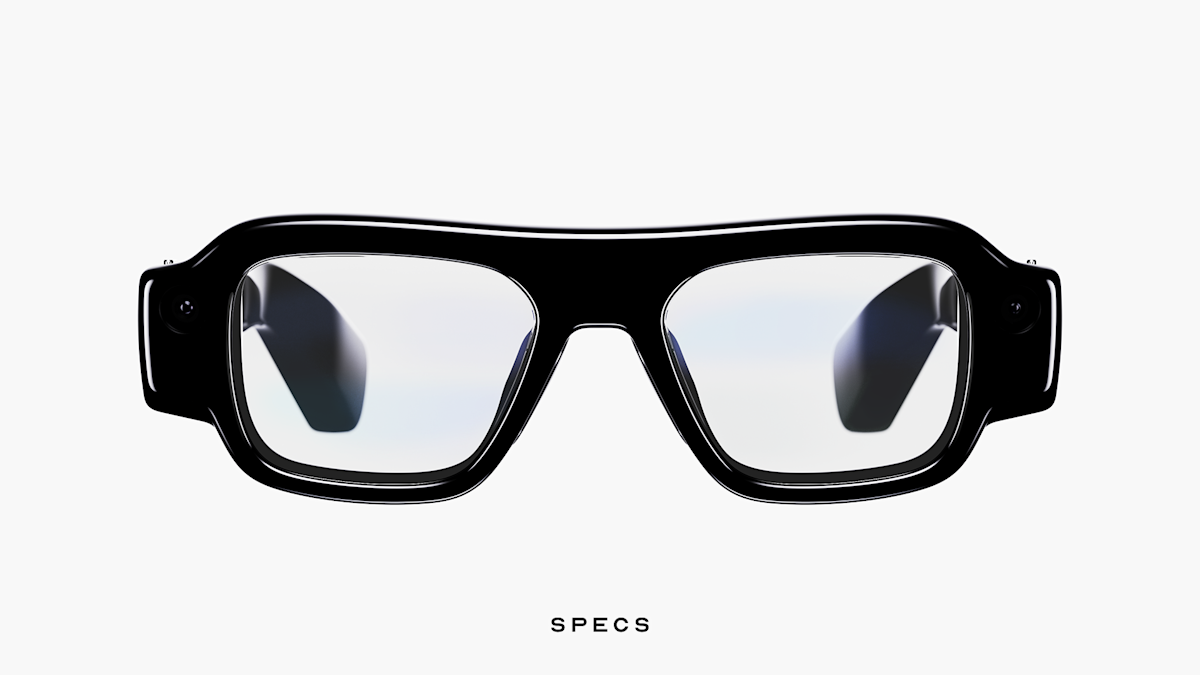
Snap Specs runs Lenses: spatial AR experiences built in Lens Studio using TypeScript and JavaScript. A Lens is not a native app and not WebAR. It is a spatial computing experience that uses the Specs hardware's world tracking, hand tracking, camera, and display. The development environment is well-documented, with 400,000+ active Lens Studio developers and all 4 million+ existing Snap Lenses compatible with Specs at launch.
For a brand activation, you are commissioning a custom Lens: a Lens designed for your specific creative brief, your location or event, and your audience. This is not buying off the shelf. It is a production project. Understanding that distinction from the first conversation saves weeks of misaligned expectation on both sides.
The closest analogy in traditional production is commissioning a short film for a specific venue. The tools exist, the ecosystem is mature, and the output can be extraordinary. But it requires a brief, a production period, and testing in the actual environment where it will run. The people who treat it like booking a photo booth learn this the expensive way.
The 8 to 12 week timeline
This is the realistic production schedule for a first Snap Specs brand activation. Compressed timelines are possible for studios with existing device fleets and prior Spectacles experience, but the phases cannot be removed, only shortened with greater risk at each stage.
Creative brief: weeks 1 to 2
Define what the Lens does, what the wearer sees, what interaction is required (hand tracking, voice, touch), how long the experience runs, how many simultaneous users are expected, and what the activation space looks like. The more detail at this stage, the fewer surprises in production. Brief documents should include venue floor plans and dimensions where available. If you cannot describe what the wearer does in the first 10 seconds, the brief is not ready.
Concept and design: weeks 2 to 4
The studio produces a concept document and design direction. For spatial AR, this includes wireframes of what the wearer sees (not flat 2D mocks: the experience is volumetric), an interaction map, and a prototype of the core mechanic. This phase is where the creative and technical constraints meet. Changes here are cheap. Changes in week 8 are expensive. Lock the concept before development begins.
Lens development: weeks 4 to 9
Active production in Lens Studio. Development proceeds in layers: core interaction mechanic first, then visual assets, then environmental anchoring and spatial persistence, then polish. Expect two rounds of review: a mid-production preview (interactive prototype, partial assets) and a pre-delivery review (full experience, unpolished). This is standard production rhythm, not a sign of delay. The mid-production review is when scope changes cost the least. After that, every change has a time and budget consequence.
Hardware testing: weeks 9 to 11
The Lens must be tested on the actual hardware that will be used at the event. Snap Specs has 4 hours of mixed-use battery life per charge; the case adds 4 charges for 20 hours total. Test the Lens for the full expected session duration. Test device rotation: how quickly can a crew member swap and recharge a device mid-event? Test in the actual physical space where possible. World tracking behaviour differs between a brightly lit gallery and a dark event floor, and a Lens that works perfectly in the studio can lose spatial anchoring in a venue with low contrast walls.
Event logistics: weeks 11 to 12
Hardware sourcing, crew briefing, device management during the event, and backup procedures if a device fails. The crew member operating the Specs experience is a specialist, not an event steward. They need to understand the Lens, the device, and how to handle a session that goes wrong. One undertrained operator can ruin an activation that cost weeks of production time.
Documentation and amplification: during and after event
The activation reaches 20 to 50 people at most events. The content, social sharing, and press coverage reach the rest of the audience. Plan for this from the start. Designate a POV camera or video crew to document the experience. Brief attendees on sharing. Prepare edit-ready content within 24 hours. This is not optional: it is where the ROI of a controlled activation multiplies.
Hardware logistics
Snap Specs ships Fall 2026 at $2,195 per unit (preorder open with a $200 refundable deposit). For events before Specs ships broadly to consumers, the Spectacles 5th gen developer hardware runs the same Lens Studio codebase and is the current active platform for production work. Full details in our Snap Specs launch overview.
For an event activation, here is the device logistics model that actually works:
Minimum viable fleet for a single experience station: 3 units (1 in use, 1 charging, 1 on standby). For a busy event running 20 or more concurrent activations per hour: 5 to 6 units minimum. Lens distribution works via Snap's developer portal: pushed to your device fleet before the event. No app store submission or consumer download required for an event-specific Lens. You control the fleet and the Lens version.
Hardware sourcing: if you do not own a Specs fleet, you can hire from studios or device leasing companies with smart glasses inventory. Factor this into the budget from the first briefing conversation. Alternatively, work with a studio like RBKAVIN. that already has hardware and production experience on this platform, which means the device cost is absorbed into the studio fee rather than quoted separately.
For more on device fleet planning and cost modelling, see our AR activation cost guide and Snap Spectacles project timeline breakdown.
What makes a Snap Specs activation work
After shipping on Snap's glasses hardware at MIT Reality Hack 2026 and through client work, the pattern is clear. The differences between a successful activation and a failed one are almost never about technical capability. They are about decisions made (or avoided) in the brief and production process.
What works
What kills it
Costs
Without publishing specific numbers here, the cost components of a Snap Specs activation are consistent across projects. Understanding each component at the brief stage prevents surprises at invoice stage.
- Hardware: purchase or hire cost per device, insurance, transport to and from the event
- Lens production: concept, design, development, testing. Ranges from a simple single-mechanic experience to a multi-scene, multi-user spatial story: a wide range in both scope and cost
- Event operations: crew, logistics, travel, setup and breakdown, device management on the day
- Documentation and content production: video crew, editing, social cut-down, 24-hour turnaround
One pattern holds across almost every first activation: a second activation with the same studio costs less and delivers more. The learning curve on both sides, the studio understanding the brand's brief style, the brand understanding how to integrate the activation into their event, compresses significantly after the first project.
For detailed cost guidance and how to size a budget for your first activation, see our AR activation cost guide.
The difference between a Snap Specs Lens and a Snap Lens on a phone
This question comes up in almost every first briefing conversation. The build tool is the same: Lens Studio: but the brief, the interaction model, and the output are completely different.
A Snap Lens on a phone runs inside the Snapchat app and uses the phone camera. The wearer holds their phone, looks at a screen, and interacts through touch and gestures the camera can see. A Snap Specs Lens runs on AR glasses hardware and uses the Specs display: the wearer sees AR content overlaid on the real world, hands-free, with spatial persistence. The experience is embodied rather than mediated through a screen.
For a brand activation, the implications are significant. A phone AR experience is inherently solo and screen-facing. A Specs experience is ambient and social: other people in the room can see what the wearer is doing, which creates shared moments that phone AR cannot. This is also why the brief for a Specs activation needs to think about the audience outside the glasses, not just the person wearing them. See our guide to building for Snap Spectacles for a deeper look at the design differences.
Our experience on this platform
RBKAVIN. Immersive Studio has shipped on Snap Specs and Spectacles hardware in production contexts. Our work includes Noodle, a spatial AI workbench for Snap Spectacles that won the Snap category at MIT Reality Hack 2026, and Ice Fishing, a multi-player spatial AR experience on the same hardware.
Both projects required solving the production problems that appear when real users wear the hardware in uncontrolled environments: spatial anchoring under varied lighting, multi-user session management, and graceful fallback when tracking loses confidence. These are the problems that a studio briefed without prior hardware experience will encounter for the first time on your activation day.
If you are planning a Snap Specs activation and want to talk through the brief, timeline, or hardware logistics, that is exactly the conversation we have before taking on a project. No deck required to start.
For context on the broader platform, see our platform comparison between Meta Ray-Ban and Snap Specs, and our overview of the Snap Specs consumer launch.
Frequently asked questions
How long does a Snap Specs brand activation take to produce?
8 to 12 weeks from confirmed brief to tested, deployable Lens. The phases are: creative brief, concept and design, Lens development, hardware testing, event logistics, and documentation planning. Timeline compresses on repeat projects with the same studio. Never start a new Snap Specs project four weeks before the activation date.
How many Snap Specs units do I need for an event?
Minimum 3 units for a single activation station (1 in use, 1 charging, 1 standby). For a busy event running 20 or more activations per hour, 5 to 6 units. Snap Specs has 4 hours of battery life per charge, with the case adding 4 more charges for 20 hours total. Device rotation with a trained crew member takes under 2 minutes between sessions.
How are Snap Specs Lenses distributed at events?
Lenses are pushed to device fleets via Snap's developer portal before the event. There is no app store submission or consumer download required for an event-specific Lens. You control the fleet and the Lens version, and the experience is available the moment the device powers on.
What is the difference between a Snap Specs Lens and a Snap Lens on a phone?
A Snap Lens on a phone runs inside the Snapchat app and uses the phone camera. A Snap Specs Lens runs on AR glasses hardware and uses the Specs display: the wearer sees AR content overlaid on the real world, hands-free. The build tool is the same (Lens Studio), but the brief, the interaction model, and the audience experience are completely different.
Can I use existing Snap Lenses on Snap Specs?
All 4 million+ Snap Lenses are compatible with Specs at launch. However, Lenses designed for phone AR were not designed for the Specs field of view or interaction model. For a brand activation, you want a Lens built specifically for the Specs hardware and your creative brief: not a phone Lens that happens to run on glasses.
Insights newsletter
Smart glasses, AR campaigns, spatial computing.
Straight to your inbox. No noise.
SubscribeReady to plan your Snap Specs activation?
We have shipped on Snap Spectacles and Specs hardware. Tell us your brief.
Replies within 48 hours, straight from the studio.
Start a project