In short: spatial AR looks like ordinary content, text, menus, 3D objects, staying fixed at one exact point in a real room. The three screenshots below are proof, not concept art.
Definitions of spatial computing get abstract fast. The easier way in is to just look at it. Here are three real screenshots from things we have actually built, each one showing the same underlying idea from a different angle.
1The glasses learn where the walls are
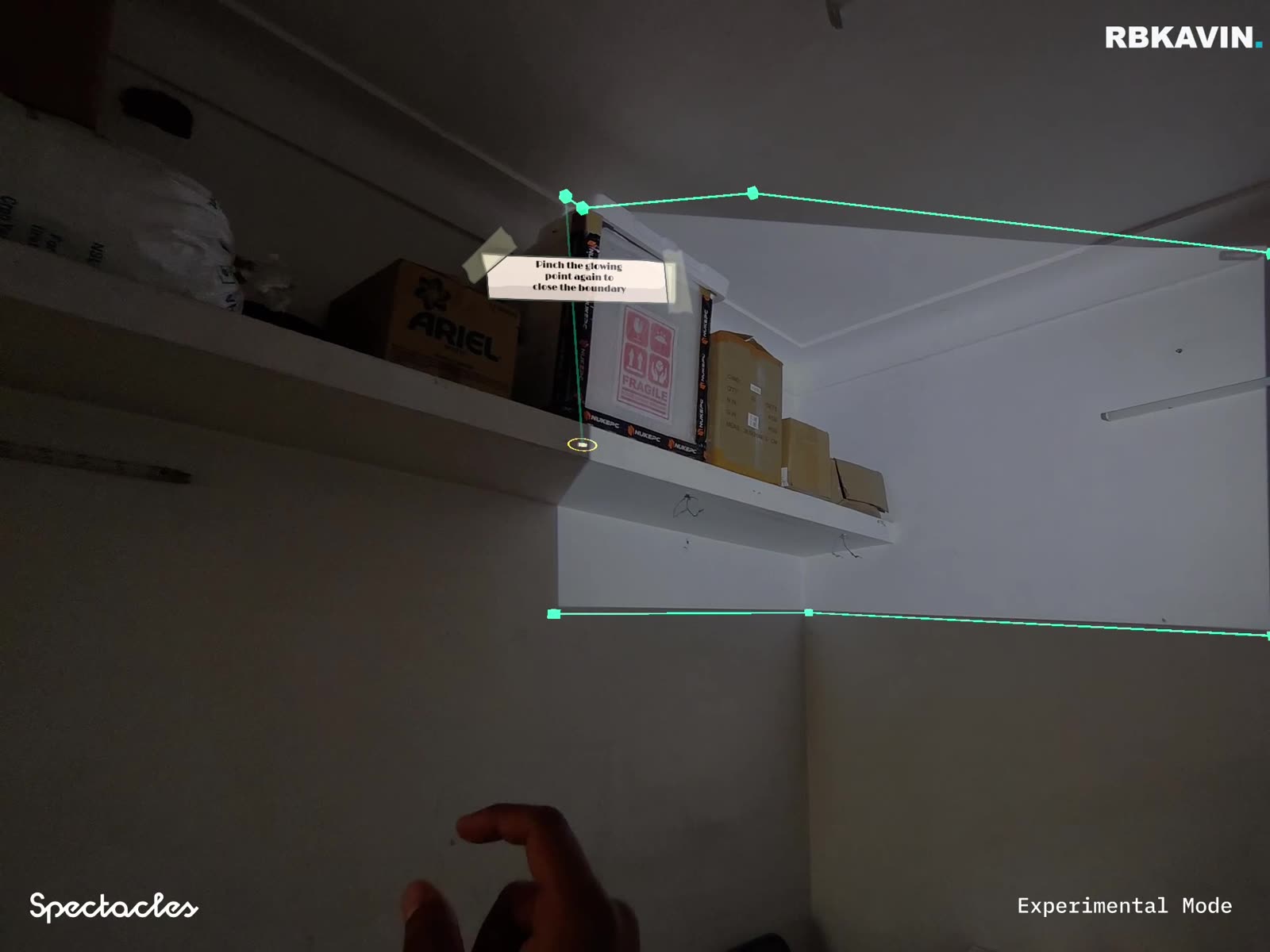
This is the step before anything else can happen. The glasses are looking at the actual corners of a real ceiling and wall, and marking exact points along them. Nothing here is decorative yet, it is the room being measured. Every spatial experience that comes later depends on this step happening first.
2A menu that stays put, not one that floats in your face
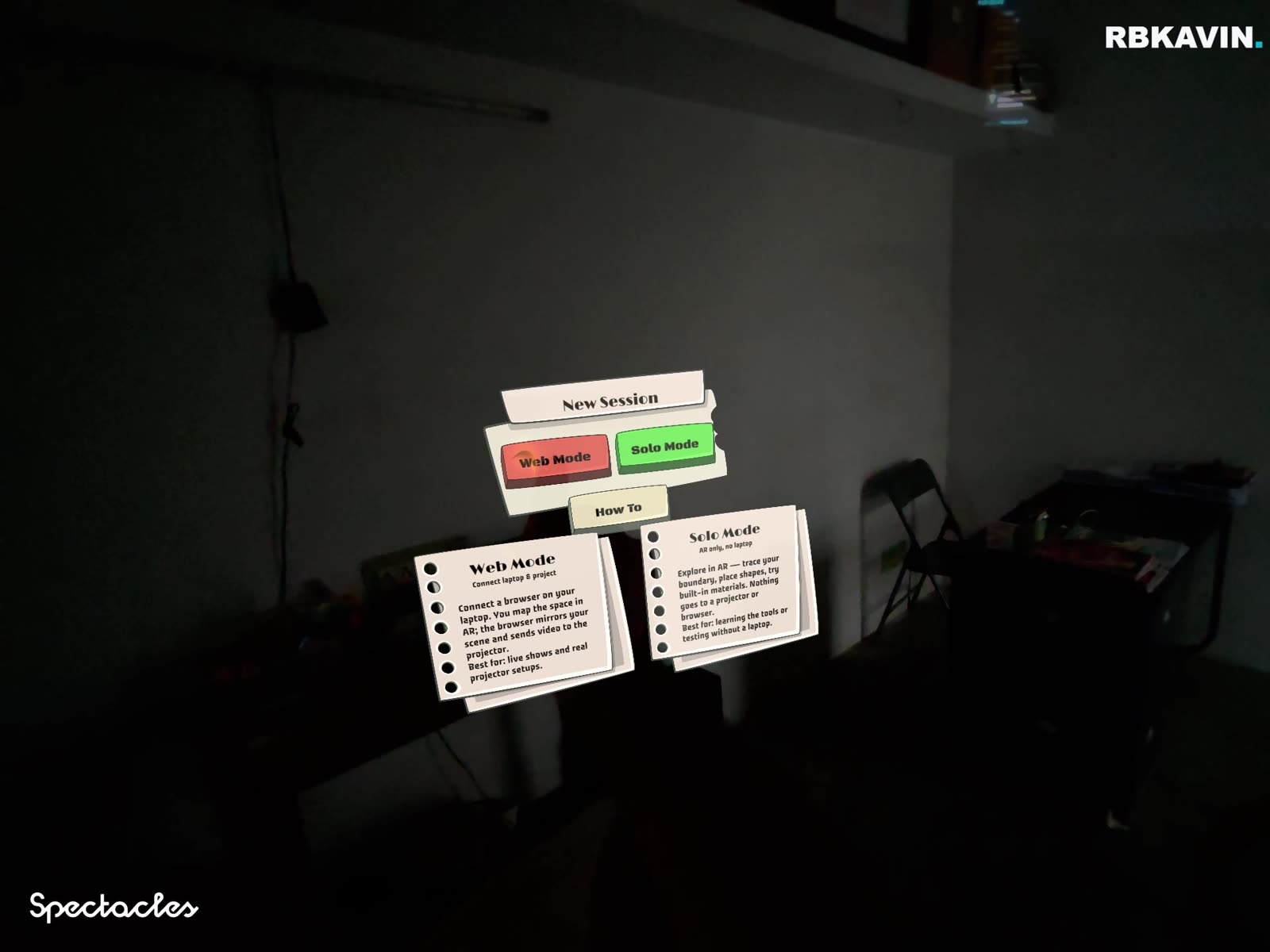
Even something as plain as a menu changes once it is spatial. On a phone, a menu sits fixed to the screen and moves with your hand. Here, the menu sits fixed to a point in the room. Look away, look back, and it is exactly where you left it, not centred in front of your eyes again. That is a small difference to describe and a large one to actually feel.
3A full 3D object, standing in a room full of real people
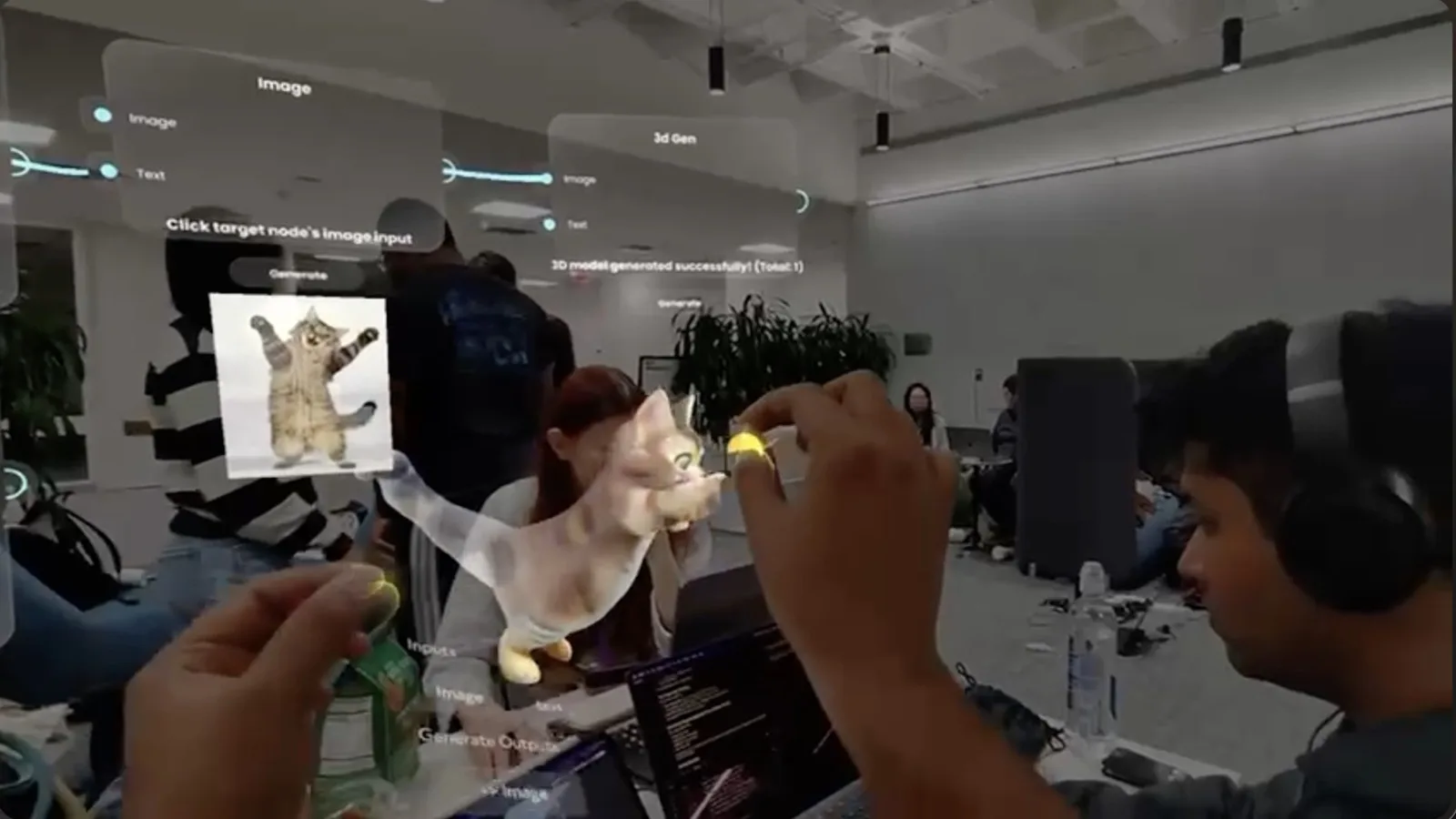
Once a device can hold a point in space, the thing placed there does not have to be simple. This is a 3D character generated on the spot and standing among the actual people in the room, at actual scale, viewable from any angle as you walk around it. Nobody in this photo needed to look at a phone to see it.
The technical part, holding a point in space, is the hard problem. Once it is solved, a menu, a note, or a full character are just different content placed on top of the same solved problem.
Why the simple examples matter more than the flashy ones
We saw a hackathon project once that let people pin sticky-note style reviews to real places, leaving a comment on a specific shelf or wall for the next person to find. Good idea, overcomplicated interaction. The version worth building is the same idea with a simpler gesture: point, pin, done. The menu in the second screenshot above is proof that the simple version already works, it is the same core mechanic without the extra steps.
That is the useful lesson for anyone briefing spatial work: the flashy 3D object gets the attention, but the boring menu proves the platform can actually do the job. If a build cannot make a static card sit still in a room, it cannot make a hero object do it either.
Where to see more of this
For the plain-English definition behind what you just saw, read what is spatial computing? For the specific difference between glasses that do this and glasses that do not, read do smart glasses map your room? To try a version of this yourself on a phone, no headset needed, the live demos at ar.rbkavin.studio are the fastest way in.
Frequently asked questions
What does spatial AR actually look like in practice?
It looks like ordinary things, a menu, a note, a 3D object, staying fixed at one exact point in a real room instead of floating on a screen in front of your face. A boundary line traced along the real corners of a ceiling. A card menu sitting on a real shelf. A 3D character standing among real people in a real room, visible from every angle as you walk around it.
How is that different from a normal AR filter?
A phone filter usually tracks your face or a flat surface in view of the camera in that moment. Spatial AR builds a persistent map of a room and locks content to specific points in it, so the content is still there, in the same spot, after you look away, walk around it, or leave and come back.
Do you need expensive hardware to see this?
To wear it hands-free, yes, devices like Snap Specs. But the same underlying idea, content locked to a specific point in physical space, is viewable through a phone browser too. The live demos at ar.rbkavin.studio show that version of it, no app download or headset required.
Why does a simple menu pinned to a real point matter more than it looks like it should?
Because it proves the harder part is already solved. Once a device can hold a menu, a note, or an object exactly where you left it in a real room, the same mechanism can hold anything: a product, a character, a piece of brand storytelling. The visual complexity of what gets placed there is a separate, easier problem.
Insights newsletter
Smart glasses, AR campaigns, spatial computing.
Straight to your inbox. No noise.
SubscribeWant to see this working live, not just in screenshots?
Tell us what you want pinned to a real room. We'll tell you what's actually possible today.
Start a project