In short: the fastest way to evaluate WebAR for your brand is to look at what has already been built and shipped, not a features list. Below are real WebAR campaigns we built, the exact tracking format each one used, and what happened when real audiences used them.
Why look at examples before you write a brief
Most WebAR briefs start with a features list: face tracking, world tracking, image tracking, QR launch. That list tells you almost nothing about what the experience will feel like to a stranger holding their own phone up outside a train station or in front of a zoo enclosure.
What actually helps a marketing manager or a creative director is seeing what other brands built, what tracking format they picked, and what happened when real people used it. So this article is a gallery, not a spec sheet. Three of the examples below are WebAR, built to run straight in a mobile browser with no app and no platform account. Two more, EasyJet and House of the Dragon, are included as contrast: real campaigns from the same studio that deliberately chose a native Snapchat Lens over WebAR, and why that call made sense for those briefs.
We've built AR campaigns for six years, including work for HBO, and hold official partner status with Snap and TikTok. That is the background these calls came from. Nothing below is a number we've invented; where we don't have a public metric for a project, we say so.
007 First Light: face tracking for a game launch moment
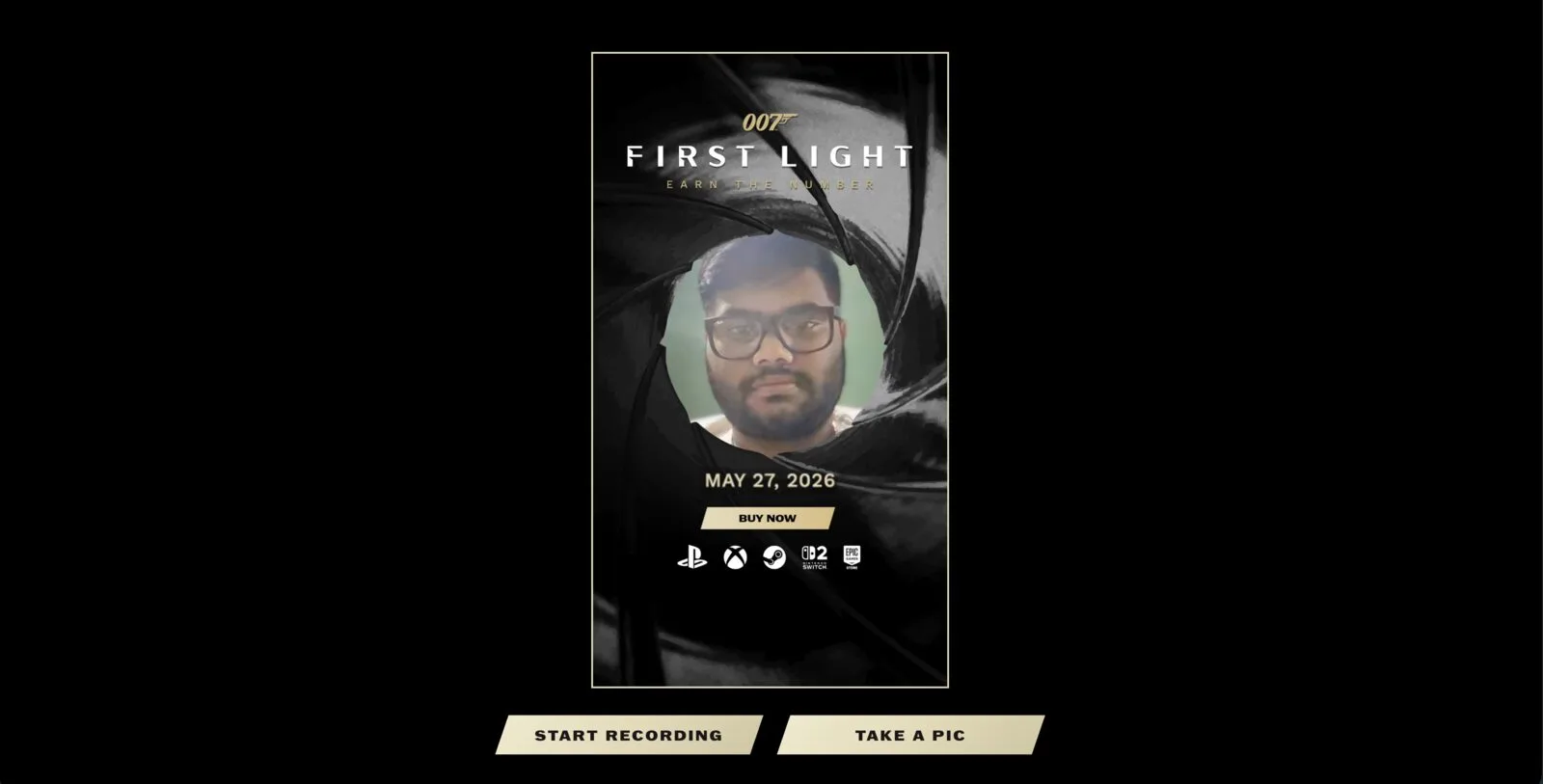
IO Interactive needed a shareable moment for the launch of 007 First Light that fans could access instantly, no app store detour, no waiting for a download to finish before the excitement passed. The gunbarrel sequence, the spinning-through-the-barrel shot that opens every Bond film, is instantly recognisable, and putting the fan inside it rather than just showing it to them was the whole idea.
We built the experience as a browser-based face filter using WebAR face tracking. A fan opens the link on their phone, grants camera access, and the gunbarrel frame locks around their own face in real time as they move. No Lens Studio install, no Snapchat account requirement to try it, and social sharing built directly into the flow so the clip could travel straight from the phone that captured it.
Face tracking was the right call here specifically because the reference (the gunbarrel shot) is a close, front-on framing of a single face. That is the exact use case browser-based face tracking is strong at in 2026: mid-range devices handle it at a frame rate that feels responsive, and the tracking holds up under normal head movement without requiring a controlled lighting rig. See the 007 First Light WebAR case study for the full build.
If you want to feel what browser-based face tracking is like before you brief something similar, the RBKAVIN. demo portal runs a live version at ar.rbkavin.studio/demos/face/. It opens on your phone in seconds, the same way a fan's link would have.
Luna's Lost Spell: an image-tracking trail across a whole zoo
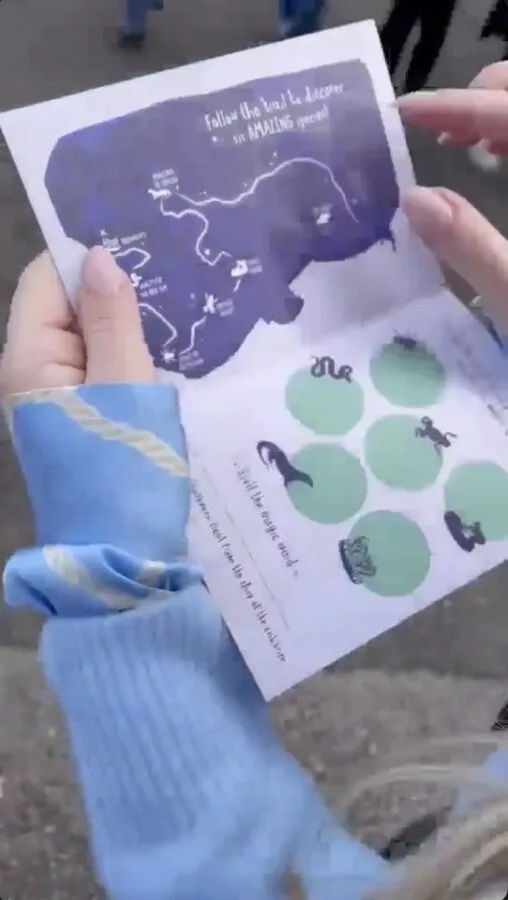
Chester Zoo's brief for their Halloween event, Luna's Lost Spell, was to build something that got families physically moving between exhibits, not a single AR moment at one gate. The zoo needed six separate stops to feel connected, and it needed to work for a mixed-age audience of parents and kids on whatever phone was in the family's pocket that day.
We built a WebAR trail with six stations across the zoo's real footprint. Each stop had a physical marker: a printed animal image at the enclosure. Families scanned a QR code to launch the browser experience, then used image tracking to scan the animal marker, which revealed a magic letter and triggered an AR mini game using either the front or back camera depending on the station. Collect all six letters, spell the word, claim a physical reward at the end.
Image tracking was the mechanic that made the physical trail work as a WebAR experience rather than six disconnected demos: the marker at each stop is what anchors the content, so the zoo's own signage and animal graphics doubled as the trigger. No app meant no install friction at the gate, which matters when the audience is families deciding in the moment whether to bother. See the Luna's Lost Spell case study for how the six stations were designed.
Try the same tracking mechanic yourself at ar.rbkavin.studio/demos/image-target/, and the world-tracking demo that shows how a physical object gets placed into a real environment at ar.rbkavin.studio/demos/world/.
HP product launch: 8th Wall at an in-person event
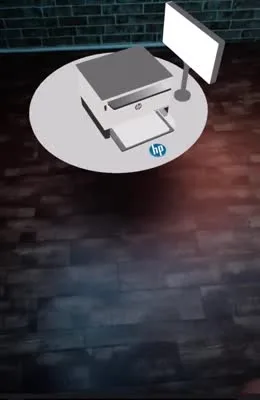
HP needed a way for attendees at an in-person product launch to try an interactive AR demonstration of a new product from their own phone, without installing anything or standing in a queue for a demo unit. Event floors move fast, and any friction between "interested" and "trying it" loses attention to the next booth.
We built the activation on 8th Wall, launched from a QR code placed at the event. Attendees scanned, granted camera access, and the WebAR experience loaded directly in their browser to showcase the product's capabilities on the spot. This is a project in our portfolio; it does not yet have a published case study page, so we're describing the build here rather than linking one.
8th Wall is one of the two platforms (alongside Niantic Studio) that handle the cross-browser compatibility layer for WebAR, meaning the same build runs on Safari on iOS and Chrome on Android without separate code paths. For event activations specifically, that cross-device reliability matters more than almost anything else: you cannot control which phone someone brings to a launch event.
When a WebAR brief becomes a native Lens brief instead
Not every AR campaign we've built is WebAR, and that is deliberate. Two examples from the same studio show the other side of the decision.
House of the Dragon: a Snapchat Lens, not WebAR
The HBO campaign anchored a sleeping dragon to a real-world landmark, discoverable inside Snap Map, that woke as fans approached and returned to sleep as they walked away. This ran as a native Snapchat Lens rather than WebAR because the entire mechanic depended on Snap Map's discovery layer: fans found the experience by browsing the map inside Snapchat, not by clicking a link someone sent them. WebAR has no equivalent built-in discovery surface. A location-based experience that needs to be found, rather than shared, is a native-platform brief.
EasyJet: body-tracked digital try-on on Snapchat and Instagram
EasyJet's cabin crew uniform try-on used Snapchat's body tracking to drape a full 3D uniform onto a user's real silhouette, plus a neck-tracked Instagram version placing users inside a flight cabin. The campaign needed the reach and native sharing loop of two social platforms' own audiences for a recruitment and awareness push, which is the strength native social AR has over WebAR: the platform's own users are already there, browsing filters, before your brand link ever gets sent. This is a body-tracking and neck-tracking build, not WebAR, and it is included here to show the trade-off clearly rather than to overstate what browser AR does.
The pattern across both: choose WebAR when you control the distribution channel yourself (packaging, an event QR code, an email, a direct link) and want the experience to live on your own domain. Choose a native platform Lens when the platform's own discovery and social graph is doing work you'd otherwise have to build. Our own guide to WebAR for brands covers that decision in more depth, including a full comparison table against social AR and native apps.
What these five campaigns have in common
- None of them required a native app. WebAR examples ran from a link or QR code; the two Snapchat Lens examples ran inside an app the audience already had installed.
- Each format decision was driven by where the audience already was, not by which technology looked more impressive in a pitch deck.
- Every WebAR example used a physical trigger, a printed marker, an event QR code, a face, to anchor the digital layer to something real. WebAR without a physical or social anchor tends to feel like a website with extra steps.
- The tracking format followed the brief. Face tracking for a face-forward brand moment, image tracking for a trail tied to physical signage, world/product tracking for an event demo.
Try the tracking formats yourself
Reading about face tracking or image tracking is not the same as holding your phone up and watching it activate. The RBKAVIN. demo portal at ar.rbkavin.studio runs every format discussed above as a live, open demo, no sign-up.
If you want a longer walkthrough of the full demo portal, including which demo to show a client for which kind of brief, read try before you brief: live WebAR demos you can open right now.
Frequently asked questions
What is a good WebAR example for brands?
007 First Light used a face-tracked WebAR filter that put fans inside the gunbarrel frame for a game launch. Chester Zoo used a QR-launched WebAR trail with image tracking across six zoo locations. Both ran in a mobile browser with no app install.
Can I see a live WebAR demo before briefing a studio?
Yes. The RBKAVIN. demo portal at ar.rbkavin.studio hosts live face, world, image, hand, and body tracking demos that open directly in a mobile browser. Try one on your phone before writing a brief.
What is the biggest limitation of WebAR compared to a native Snapchat Lens?
Distribution. A Snapchat Lens gets discovered inside Snap Map or the Lens carousel, where the platform's own audience finds it without a link. WebAR has no built-in discovery layer: someone has to scan a QR code, click a link, or see it in an email. That is why HBO and easyJet, both audience-reach campaigns, were built as native Snapchat Lenses instead of WebAR.
Which tracking format did each WebAR example use?
007 First Light used face tracking. Chester Zoo's Luna's Lost Spell used image tracking triggered by QR codes across a physical trail. The HP product launch used 8th Wall for a QR-launched, world-tracked in-person activation.
Do WebAR examples work the same on iPhone and Android?
Mostly, yes, on modern devices. WebAR runs on Safari on iOS and Chrome on Android through platforms like 8th Wall, which handle the cross-browser compatibility layer. Older phones (pre-2019) may not support the WebXR APIs these examples rely on.
Insights newsletter
Smart glasses, AR campaigns, spatial computing.
Straight to your inbox. No noise.
SubscribeHave a WebAR campaign in mind?
Tell us the audience, the channel, and the moment you're building for. We'll recommend a tracking format and a rough scope.
Start a project