Three things smart glasses do differently in a museum
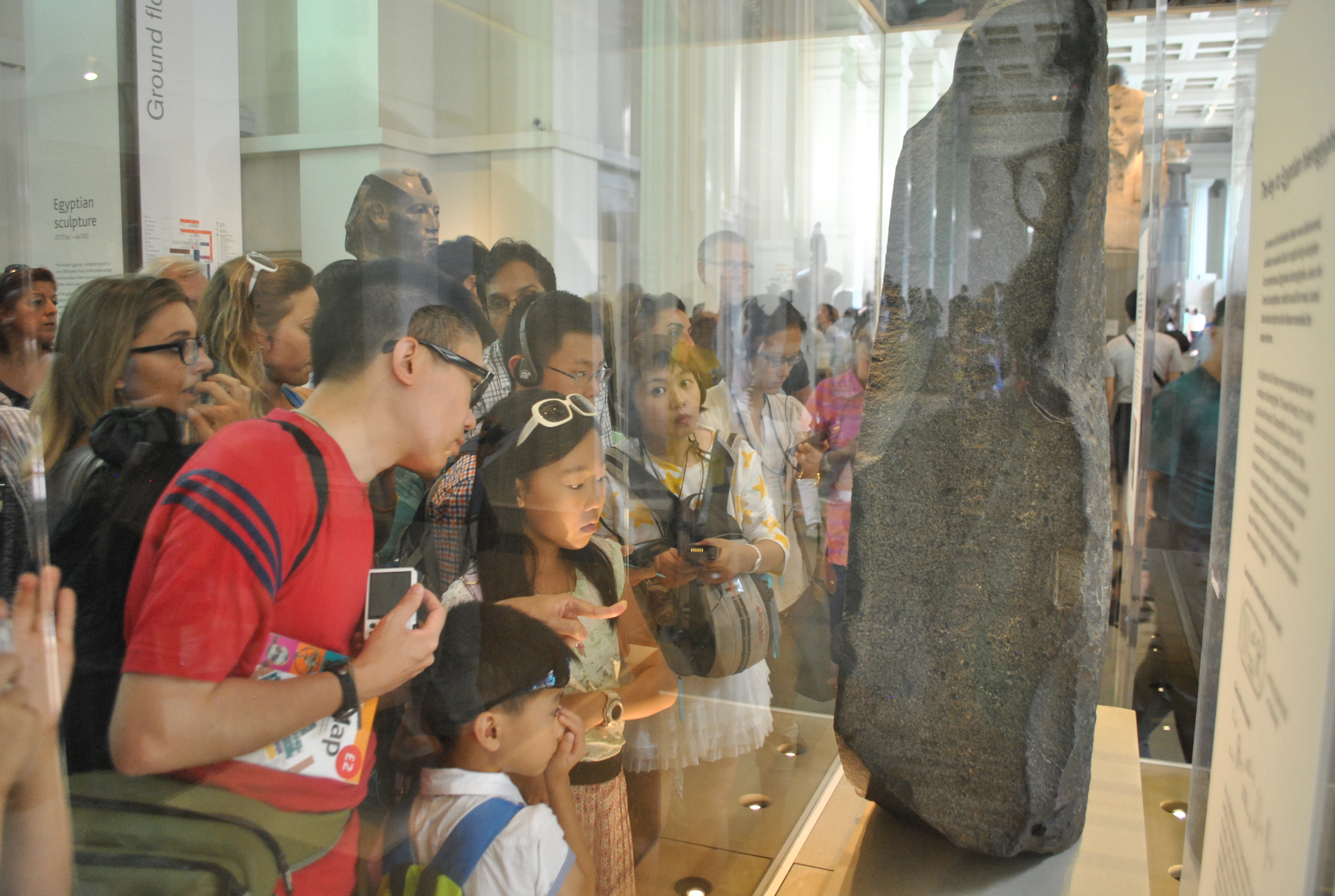
The phone-based museum experience has been the default for AR at cultural institutions since the early 2010s. App-based tours, QR codes, audio guide apps, filter activations on collection objects. All of them share the same structural failure: they ask the visitor to hold a device between themselves and the thing they came to see.
Smart glasses remove the device from the equation in three specific ways that matter for a museum context.
First: gaze-aligned context. Information appears in the direction the visitor is already looking. When a visitor stands in front of a painting, the contextual overlay appears in their peripheral field anchored to the painting, not on a screen they are holding at waist height. The visitor's eyes stay on the work. The information comes to the visitor, rather than the visitor having to look away from the exhibit to find it.
Second: hands-free navigation. A visitor moving through a gallery with a phone in one hand cannot put their hand in a pocket, take notes, hold a child's hand, or use any mobility aid without managing the device at the same time. Smart glasses leave both hands completely free throughout the visit. For accessibility, this is not a minor difference. For any visitor navigating a space with physical requirements that a phone complicates, hands-free is a meaningful improvement.
Third: audio-plus-visual layering without the phone blocking the view. An audio guide narrates over a physical exhibit, but the visitor still has to work out which detail the narration is referring to. A phone screen with text or image misses part of the exhibit behind the screen. Smart glasses combine narration and spatial visual cues (arrows, highlights, overlaid annotations) while the full exhibit remains visible. The visitor hears and sees context simultaneously, with nothing between them and the object.
Use case 1: the guided tour layer
The most direct replacement for the traditional audio guide. Visitors collect smart glasses from a loan desk at the entrance, select a language (or tour type: family, academic, accessibility), and walk the collection. As they approach each exhibit, the spatial anchor triggers narration and an overlay that highlights the specific detail the narration is discussing.
The overlay does not need to be complex. An arrow pointing to a specific section of a painting. A text label identifying the subject. A timeline bar showing where this object sits in the historical sequence. A highlight ring on a particular artefact in a case containing many objects. These are small additions to the viewing experience, but they resolve one of the core failures of audio guides: the visitor no longer has to guess which part of the exhibit the narrator is talking about.
Multi-language support is a significant operational win for institutions that serve international audiences. The same spatial anchors and the same overlay positions serve every language version. The narration audio is swapped; the spatial layer does not need to be rebuilt. For a large collection with 50 or more exhibit stops, that architecture reduces localisation cost significantly compared to producing separate physical materials or separate apps per language.
Use case 2: the reconstructed view
A visitor stands in front of a broken amphora displayed on a plinth. Through the glasses, the amphora appears whole, with missing sections rendered in a slightly different material finish to signal that those parts are reconstructed. The visitor is looking at the actual object while simultaneously seeing what it originally looked like. Neither view replaces the other. Both are present at the same time.
This is the use case that uniquely benefits from AR over every other display format. A video showing the reconstructed version requires the visitor to not look at the object to watch it. A replica removes the real artefact from the experience. An overlay on a phone screen is the right information in the wrong place. Smart glasses show both things in the same place simultaneously, which is what the experience is actually trying to achieve.
The same principle applies to architectural heritage. A fragment of a Roman mosaic floor displayed in a gallery can be shown, through the glasses, in the context of the original room layout it came from. A visitor looking at the fragment looks up and sees the spatial suggestion of the full structure around it. The physical fragment gains context it cannot communicate on its own.
What this takes technically: a photogrammetry scan of the existing object, a 3D reconstruction modelled by a specialist with reference to historical scholarship (not AI-generated, or at minimum reviewed by a subject expert), and spatial anchoring that aligns the digital reconstruction precisely to the physical object's position. For significant objects, institutions typically already have photogrammetry scans from conservation work. The reconstruction modelling is the new cost.
Use case 3: the interactive exhibit
A visitor triggers content through gesture or gaze, with no touchscreen required. Looking at a specific object for two seconds activates its information layer. A hand gesture unlocks the next exhibit in a sequence. A gesture toward a display case causes the objects inside to animate in the visitor's view. All of this happens without the visitor touching anything in the gallery.
For installations where touching is prohibited, where surfaces need to remain clean, or where the audience includes children who cannot be expected to manage a device interface, the gesture and gaze interaction model of smart glasses removes the touchscreen problem entirely. The interface is the visitor's natural body behaviour. Looking at things is what visitors already do.
In science museums, this opens interactions that are genuinely difficult to deliver any other way. A visitor looks at a scale model of the solar system and the relative orbital periods animate in their view without any button press. A visitor looks at a cross-section of geological strata and the time periods layer in sequentially as they study it. The content responds to where the visitor is looking, which means it can be designed to reward extended attention rather than casual glancing.
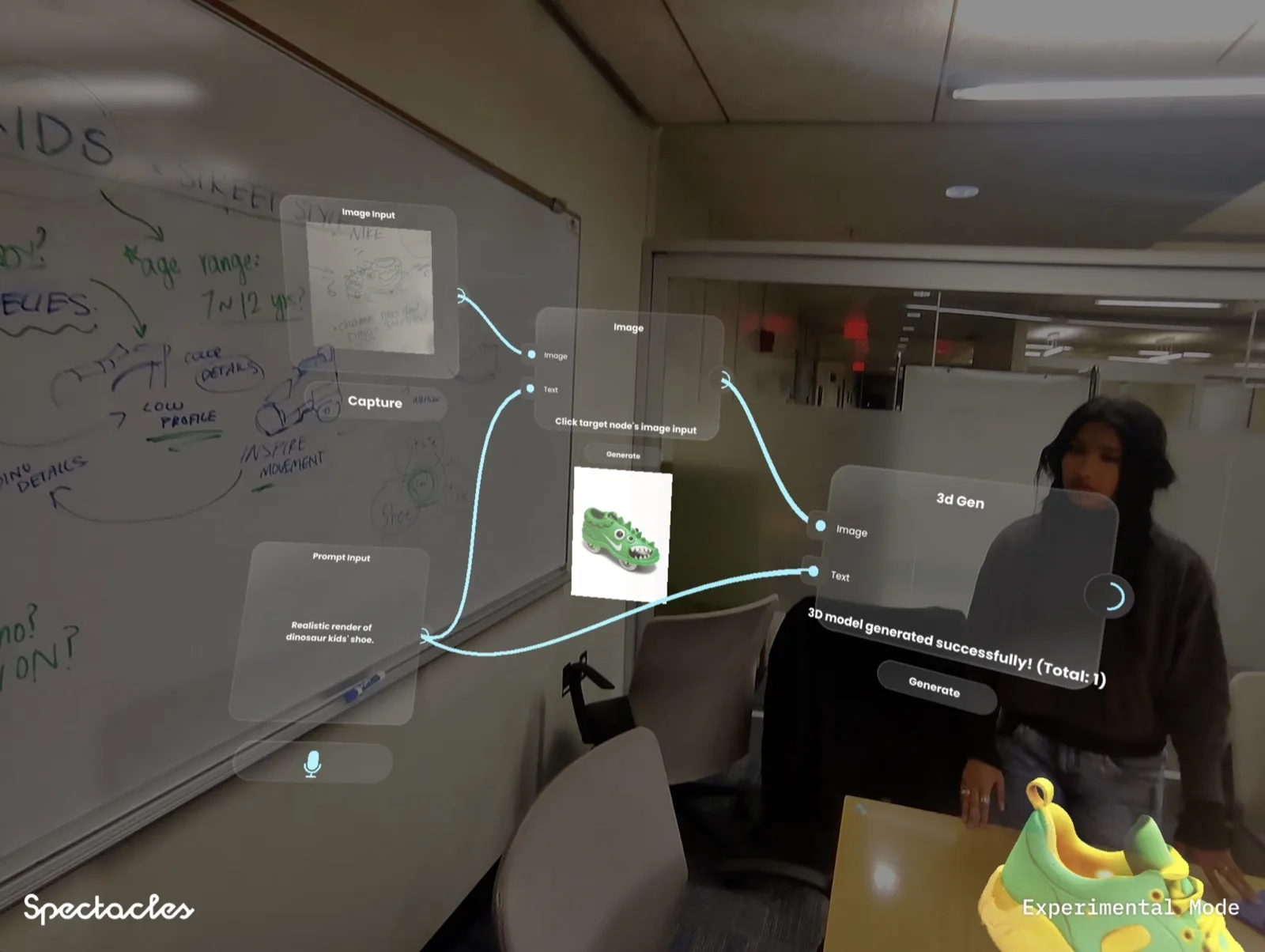
The interaction model here is worth comparing to what has been shipped in real work. The Noodle project, a spatial AI workbench built on Snap Spectacles and winner at MIT Reality Hack 2026, is a directly relevant example: a hands-free spatial interface designed around where the user is looking and what they are doing with their hands, with no phone or screen required. The core interaction principles translate directly to a museum context.
What a museum brief needs differently
A museum smart glasses brief has three requirements that do not appear in a festival or brand event brief.
Dwell time is much longer. A festival try-on is 60 to 90 seconds. A museum exhibit stop is 3 to 10 minutes. That duration changes the content design significantly. An experience designed for 90 seconds cannot hold a visitor's attention for eight minutes at a significant piece. The content needs to have layers: an immediate entry-level layer for casual visitors, a deeper layer for engaged visitors who stay longer, and an expert layer for visitors who want the full curatorial context. Flat, single-depth content will work for 90 seconds and feel thin at five minutes.
The audience demographic is wider. A festival has a self-selecting audience in a defined age range. A museum serves visitors from primary school age through to 80 or older. The experience needs to work for a child visiting with a school group and for an academic specialist visiting for research purposes. This is usually solved by offering tour tracks at different depth levels, but the underlying spatial experience, the overlay positioning, the text size, and the interaction model all need to work for the full demographic range without requiring visitors to configure anything before they start.
Accessibility is not optional. Cultural institutions have legal accessibility requirements in most markets, and an AR experience that replaces or supplements existing accessible services (audio guides, large-print materials, BSL-interpreted tours) needs to meet or exceed those standards. Smart glasses experiences for museums should include audio narration as a baseline, large-format overlay text as a default option, and an explicit review against accessibility guidelines before launch.
The permanent vs temporary installation question
Most smart glasses experiences at cultural institutions to date have been temporary: a touring exhibition, a time-limited AR interpretation of a specific collection, a partnership tied to a programme of events. The reasons are practical. Device technology changes quickly. An experience built for hardware available today may need to be rebuilt in 18 months for the next device generation. For a permanent installation, that replaces every few years on hardware refresh is an ongoing cost that institutions need to budget for at project inception, not discover later.
The Smithsonian has run AR interpretation pilots across several of its museums, including facial reconstruction overlays over fossil skulls at the Natural History Museum and spatial wayfinding experiments at larger exhibition buildings. These have been research-phase explorations, not permanent deployed visitor services, which reflects the current practical position: the technology is mature enough for high-quality temporary and touring experiences, but most institutions are not yet committing permanent programme budgets to hardware that will need replacement within the life of the programme.
The British Museum has explored AR interpretation in partnership with technology providers, including experiments with AR overlays on Egyptian artefacts that show contextual views of objects as they would have appeared in their original settings. These remain in pilot or showcase mode rather than full visitor rollout, again reflecting the hardware refresh question.
What would make a permanent installation viable: a hardware generation with a three to five year device lifespan, a content architecture designed to be reauthored for new hardware without rebuilding from scratch, and an institution with an in-house technical team (or a retained studio partner) to manage the ongoing maintenance. Those conditions exist at a small number of large institutions. For the majority, the touring or time-limited model is the right starting point.
Frequently asked questions
Do visitors need to own smart glasses to access a museum AR experience?
No. Museum smart glasses experiences work on a loan model, exactly like traditional audio guides. Visitors collect a device from a loan desk at the entrance, use it throughout their visit, and return it on exit. The museum owns and manages the devices. Visitors do not need any existing smart glasses, app, or account. This is the same operational model used by every audio guide programme in operation today, which means the logistics infrastructure for device loan is already understood by most cultural institutions.
How do we handle visitors of all ages with smart glasses?
Age range is a genuine design constraint. Smart glasses experiences need to work for children from around age eight upward (below that, device fit and cognitive load are both challenging) through to elderly visitors. For this audience breadth, the key design rules are: no small text in overlays, keep cognitive load low per exhibit stop, offer the experience as an optional enhancement rather than a required layer for the visit to make sense, and ensure the experience works without any prior tech familiarity. Voice narration with a clear spatial visual is more inclusive than gesture-triggered or gaze-dwell interfaces that require learned behaviour.
Can we install smart glasses experiences in a listed or heritage building?
Yes. Smart glasses AR experiences do not require any physical installation on the building or the exhibits. There is no drilling, no wall mounting, no cabling in the gallery space. The spatial anchoring uses the room's existing geometry (floor, walls, exhibit cases) as reference points, all of which are read by the device's cameras and processors without any modification to the space. This is a significant advantage over screen-based or projection-based installations in heritage contexts. The device loan desk at the entrance is the only physical addition required, and that needs no planning consent.
Is there a fire risk from charging smart glasses devices in a gallery?
Charging smart glasses devices uses the same lithium-ion battery chemistry as tablets, phones, and laptops, all of which are already present in most museum environments. A dedicated charging station for a device loan fleet is the same risk profile as a staff charging trolley for tablets, which is common in schools and museums. Standard practice is to use a purpose-built charging case or trolley with a surge-protected multi-socket, kept in a staff room or storage area behind the loan desk rather than in the gallery itself. Devices should not be charged unattended overnight without a charging case that has built-in overcharge protection.
What is the realistic cost of a smart glasses museum installation?
A touring or temporary smart glasses museum experience (designed to run across three to six months) typically costs $40,000 to $90,000 in production, covering experience design, 3D content, spatial anchoring across the selected exhibit stops, multi-language audio narration, and on-device testing. Hardware for a typical institution deployment (20 to 40 devices) is a separate line, either purchased or on a managed loan from a platform partner. Ongoing costs include device management, battery replacement, and content updates if the exhibition changes. Permanent installations with deeper content per exhibit sit at a higher production cost but have lower per-visit cost at scale.
Insights newsletter
Smart glasses, AR campaigns, spatial computing.
Straight to your inbox. No noise.
SubscribeDesigning a smart glasses experience for a museum or cultural institution?
Tell us about your collection, your audience, and your timeline. We will tell you what is achievable.
Start a project